The styles available in UpSlide's Paragraph button in PowerPoint come directly from the paragraph styles defined in your company's template. These styles are configured by your administrator to ensure all documents stay on-brand. If you are missing a style or see unexpected options, the answer lies in your template setup.
To find where UpSlide picks up the styles available in Paragraph, go to View > Slide Master. The first slide in your Master contains the styles you’ll see in the dropdown menu.
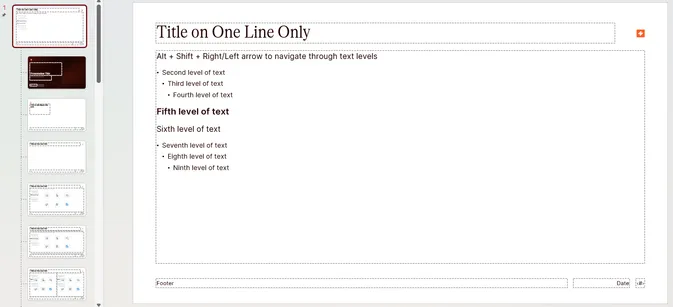
The styles will appear in the Paragraph dropdown menu only if they are in a text placeholder shape. If your first Master doesn’t have any text placeholder shapes, the Paragraph dropdown will be empty.