This article will guide you through setting up SCIM provisioning with Microsoft Entra ID.
Get your API Key
SCIM Standard requires an authentification to the API. You can generate your API token directly from the UpSlide portal. Go to Users and activate provisioning. Once done, you can click on Generate New Token to get it.
If you don’t have access to our portal yet, please contact us at support@upslide.com.

Create your own Entra ID Enterprise App
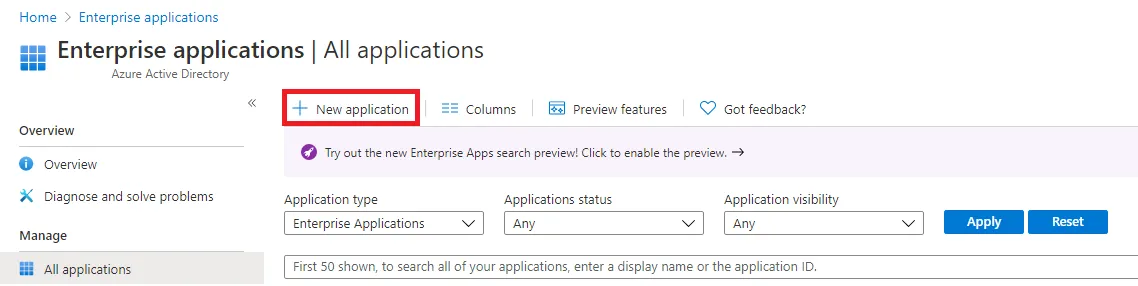
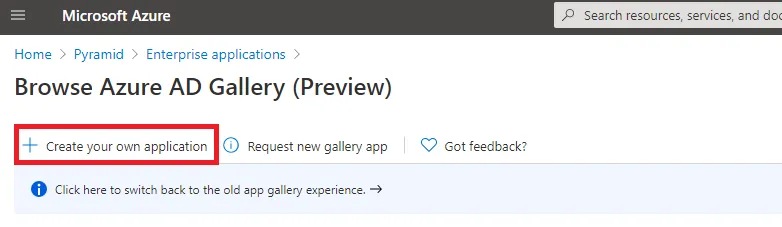
- Go to your Entra ID Enterprise App portal and click on New Application.
- Click on Create your own application.
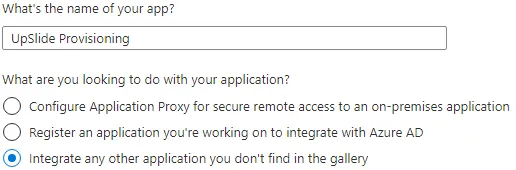
- Set a name for your Entra ID Enterprise App, and select Integrate any other application you don’t find in the gallery.
Configure the provisioning
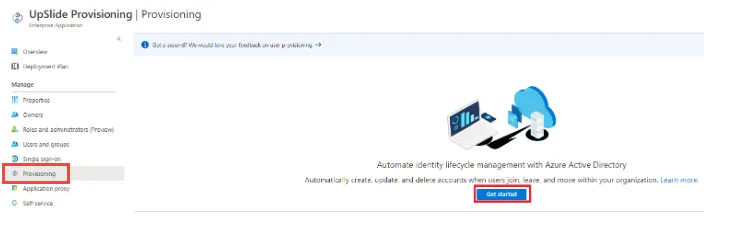
- On the newly created Entreprise Application homepage, click on Provisioning.
- Click on Get Started.
1) Connection
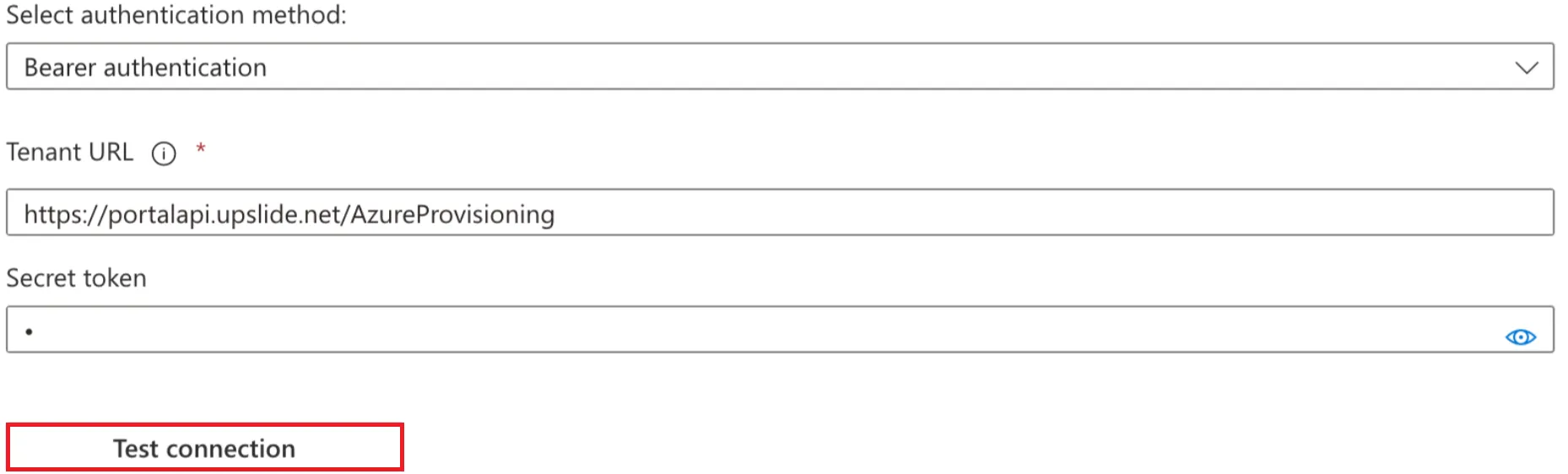
- Fill the fields:
- Provisioning mode: Automatic
- URL: https://portalapi.upslide.net/AzureProvisioning
- Token: The API key produced in the Portal
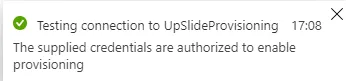
- Test your connection to the API and save.
2) Mappings
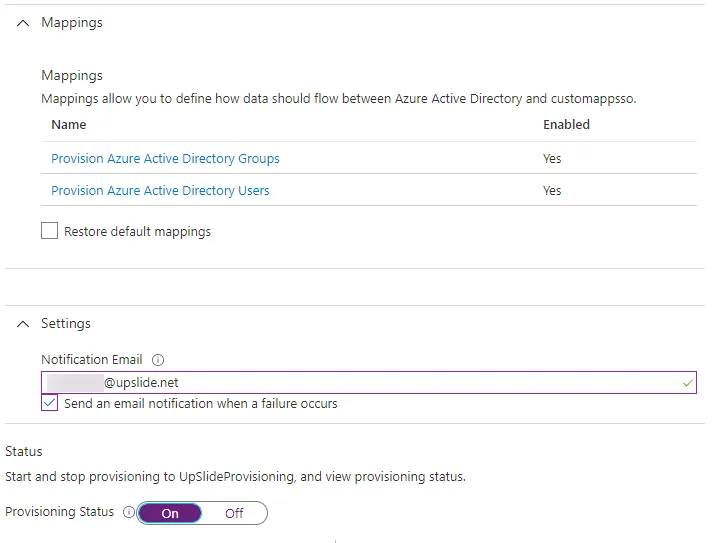
- Check the Mappings section to make sure that Groups & Users are synchronised.
- In the Settings section, you can set an email to receive a notification in case of failure.
- Finally, set the Provisioning Status to On and Save in the last section.
3) Add users and groups
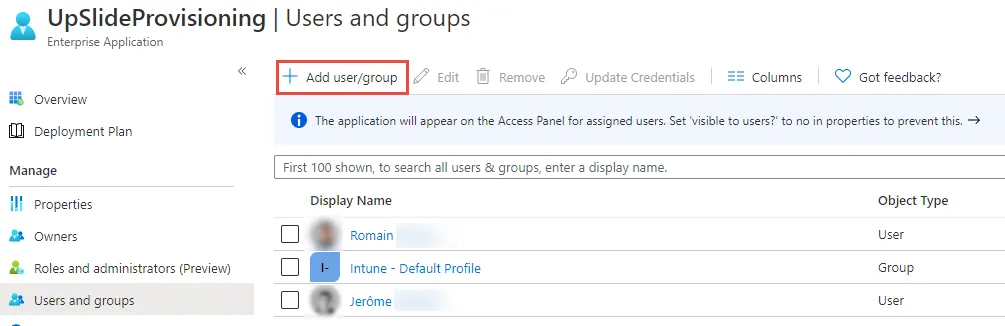
The automatic provisioning is now enabled. The synchronisation task will start every 40min. You can now add the users and groups to synchronise with our licensing platform.
- On the Enterprise App home page, select Users & Groups.
Test the provisioning
You can follow the steps below to test the provisioning by starting it manually:
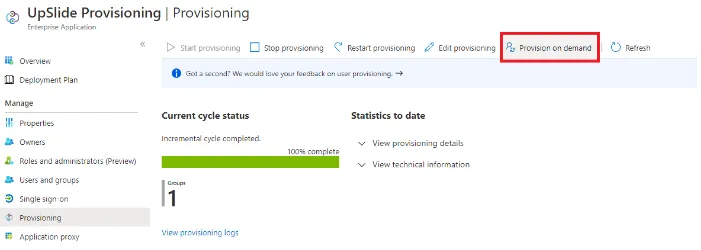
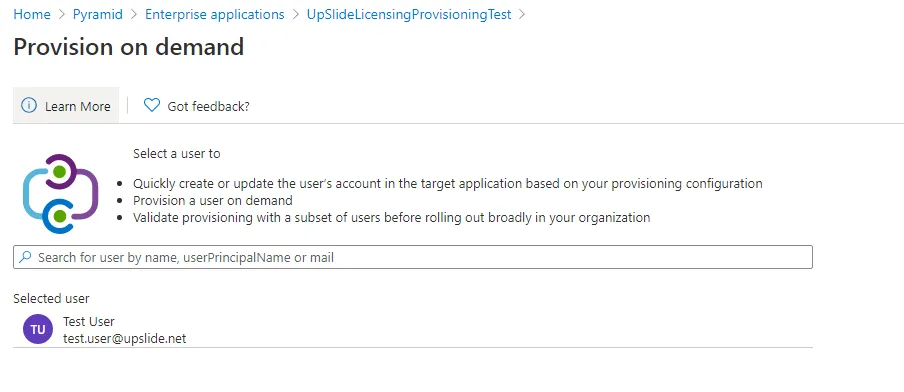
- On the left side menu, select provisioning, and then Provision on-demand.
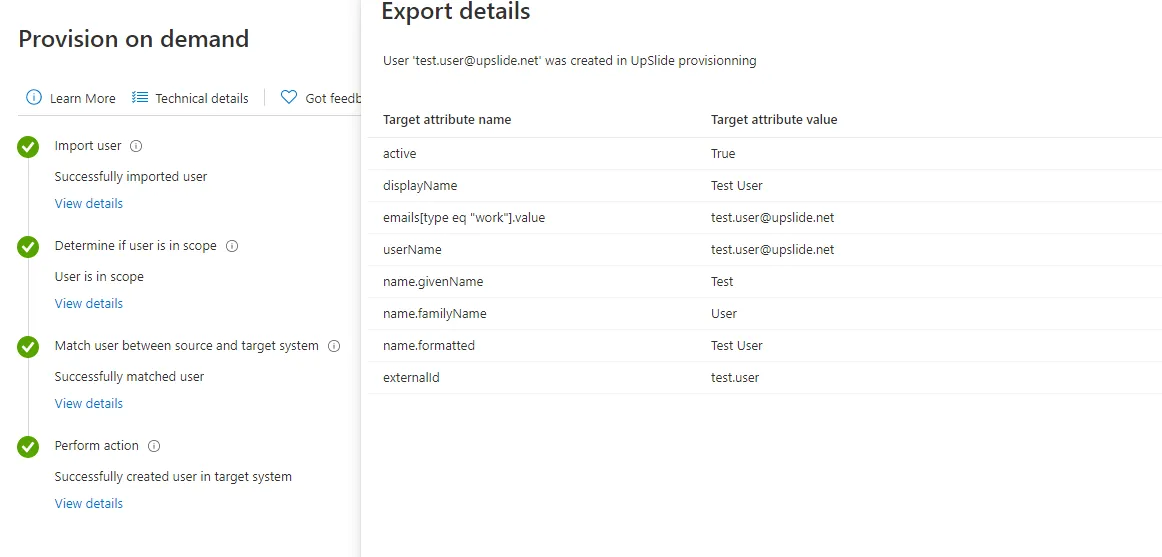
- Select your user, and launch the provisioning.
- Check on the UpSlide licensing platform that the user has been created.