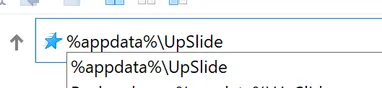
Sometimes your UpSlide support team will ask you to open the UpSlide's AppData folder or the UpSlide's ProgramData folder. These folders are often hidden so it can be hard to find them. This article will show you how to open them very quickly.
Tip
ProgramData is where UpSlide is installed. It’s also where the Templates are stored.
AppData is where all the user configuration is stored (application logs, user shortcuts, library cache, etc.).
To open the AppData and ProgramData folders:
- Open a file explorer. You can use the combination of Windows key+E
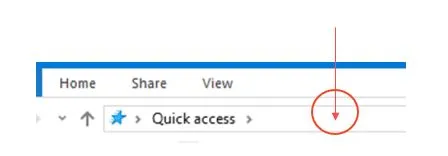
- On the File Explorer window, click in the blank space after Quick access.
- Write %appdata%\UpSlide or %programdata%\UpSlide, then hit Enter