UpSlide needs consent for the Power BI to PowerPoint/Word feature to work. IT can grant it on behalf of everyone automatically or (in some environments) IT can allow each user to make the choice and grant it themselves.
Grant consent for your own account or for all user
- As an individual user you can grant consent to Power BI resources if your organisation allows you to manage applications for your own account.
- As an organisation admin, you can grant consent to Power BI resources for all users if you do not allow them to do it by themselves or want to minimise steps to user workflows.
Grant consent to all user
- Go to the Microsoft consent page,
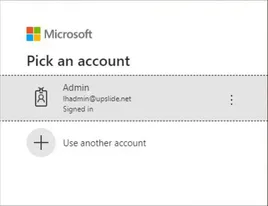
- Log in with your credentials as a Tenant Administrator.
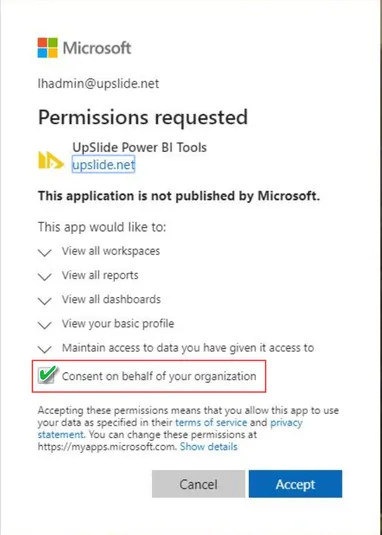
- Check the Consent on behalf of your organization box, and click Accept.
As an organisation admin, you can also revoke the consent for an app.
Revoke consent
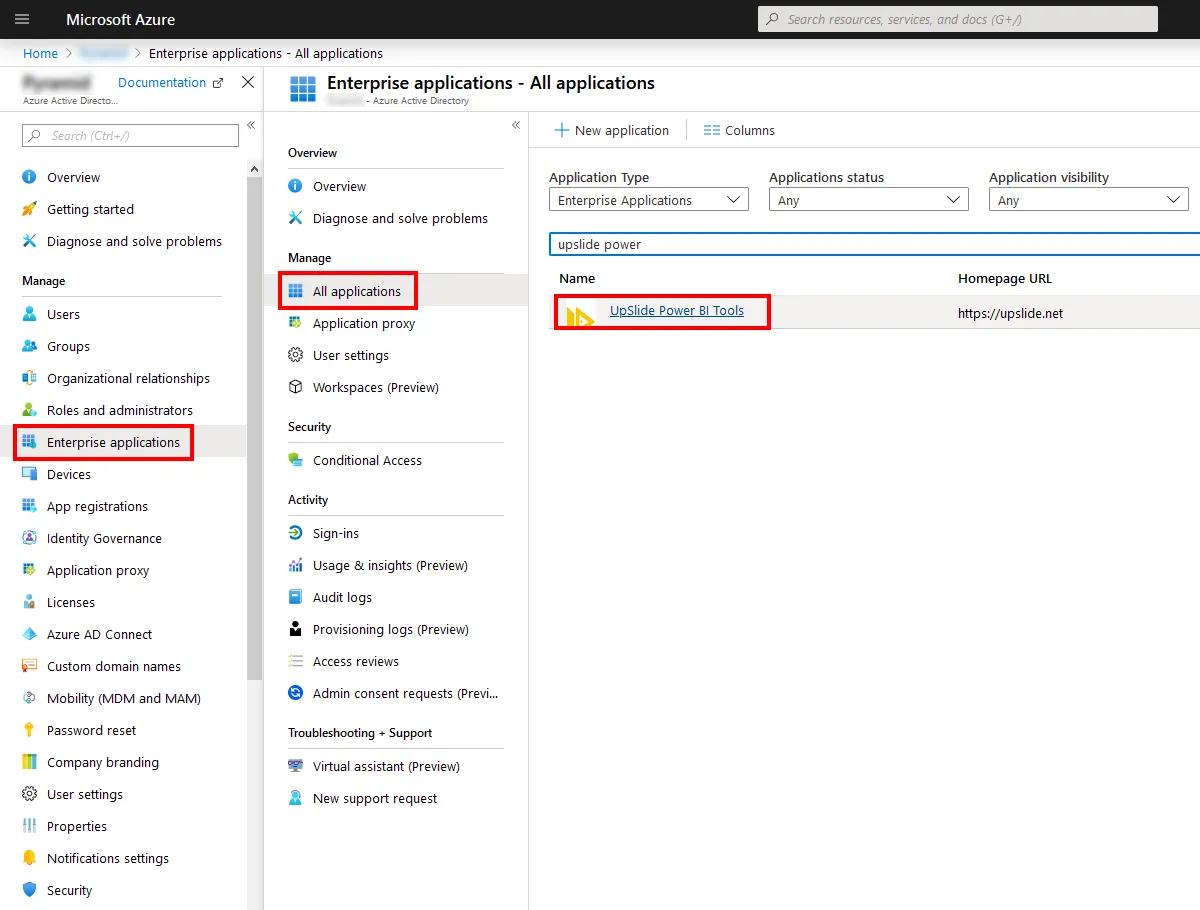
- Go to Azure Portal.
- Go to Azure Active Directory.
- Select Enterprise applications.
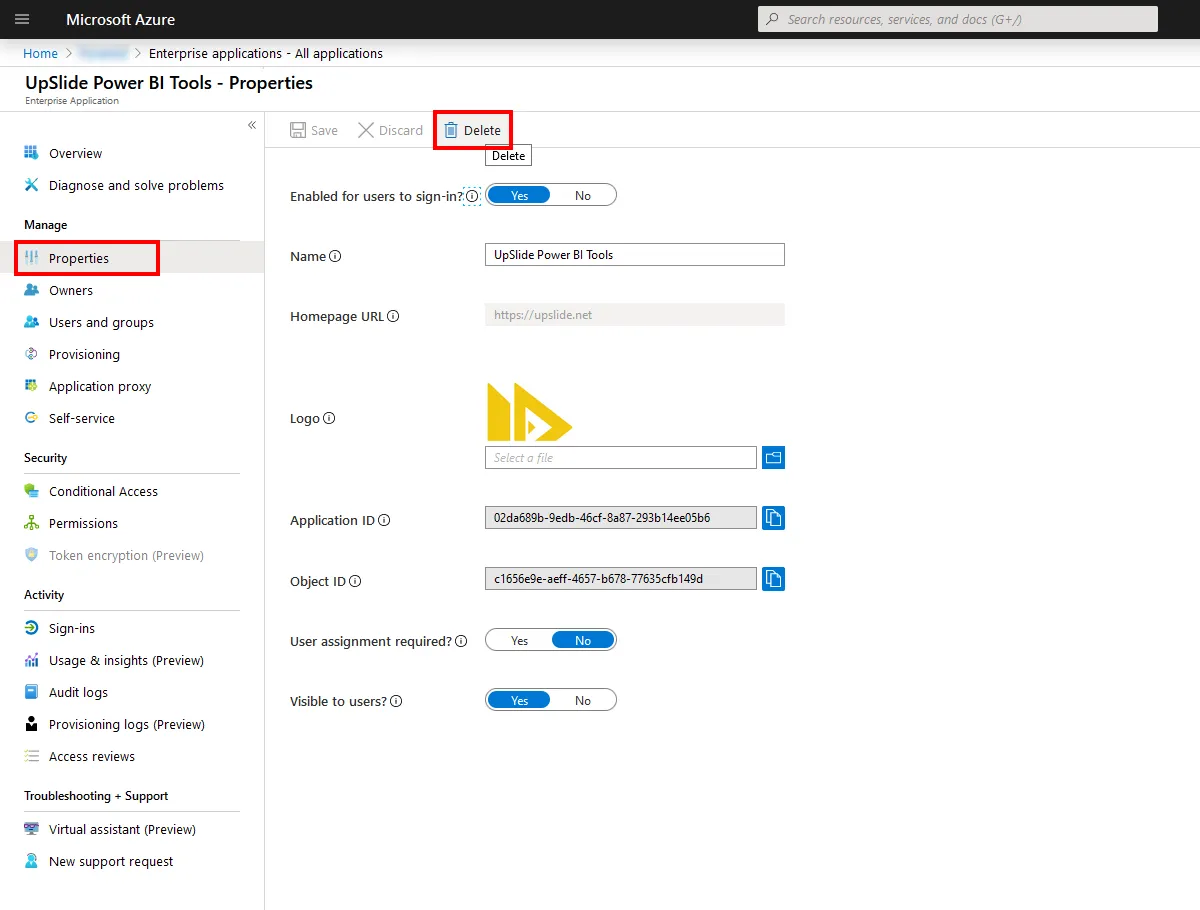
- Select UpSlide Power BI Tools and revoke consent.
- Delete the application.